Louvre: first route
Before or during a Louvre visit, use Artiou to keep the route simple: find the highlights, scan works along the way, and avoid turning the day into a generic checklist.
Museum AI audio guide · Pocket curator
Visiting the Louvre, Orsay, or a new gallery today? Open Artiou, scan an artwork, ask what it means, and listen to a clear audio guide while you keep moving through the museum.
Use Artiou as a pocket curator for famous artworks, crowded rooms, and unfamiliar museums: pick a route, scan the piece in front of you, ask a plain-language question, then keep listening.
Before or during a Louvre visit, use Artiou to keep the route simple: find the highlights, scan works along the way, and avoid turning the day into a generic checklist.
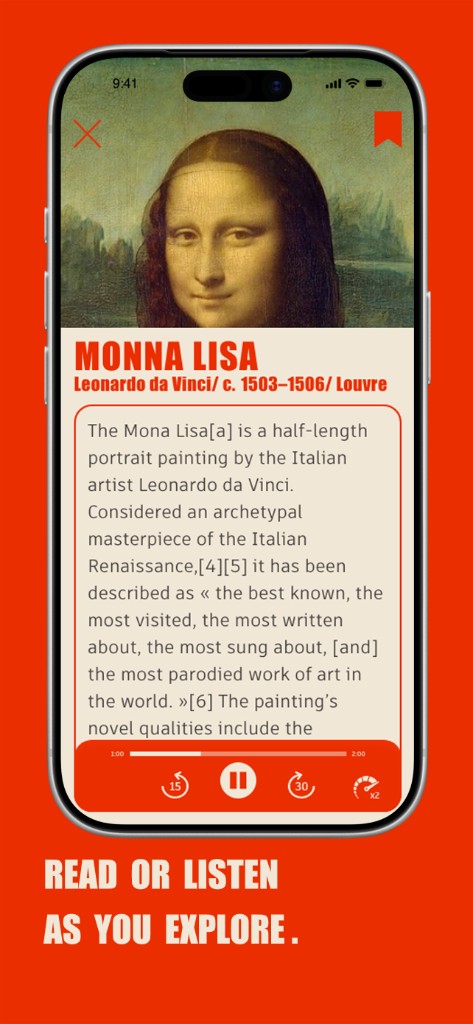
When the Salle des États is crowded, scan or search Mona Lisa, ask why the portrait matters, and listen to context without fighting the wall label.
At Musée d’Orsay or in front of Impressionist works, listen for color, light, and brushwork cues while your eyes stay on the painting. If you want a calmer first Paris museum plan, start with the Musée d’Orsay first-time guide.
Editorial guide
Artiou now has three-language city museum guides for Paris, London, Lyon, Amsterdam, and Rome. They turn the site into a pre-visit planning layer too: choose the right district, avoid closure traps, and build a calmer route before you step into the queue.
Artiou (Chinese brand name: 艺游, pronounced Yìyóu) is a mobile app for museum and gallery visits. You photograph or upload an artwork image; the app uses AI to recognize the exhibit and generate narration you can listen to in Chinese, English, or French. It supports favorites/collection and optional sign-in for sync (see in-app copy for details).
Whether you are touring a national museum in an afternoon or slowing down in a contemporary art gallery, Artiou works as a practical museum audio guide: use your phone for exhibit recognition, then listen to narration as you move through the halls—with Chinese, English, and French support so you spend less time on QR codes and more time with the work. After you leave, revisit saved pieces in the app and keep the exhibition with you.
Visual assets for this language.

Less friction, more presence—stay with the work.
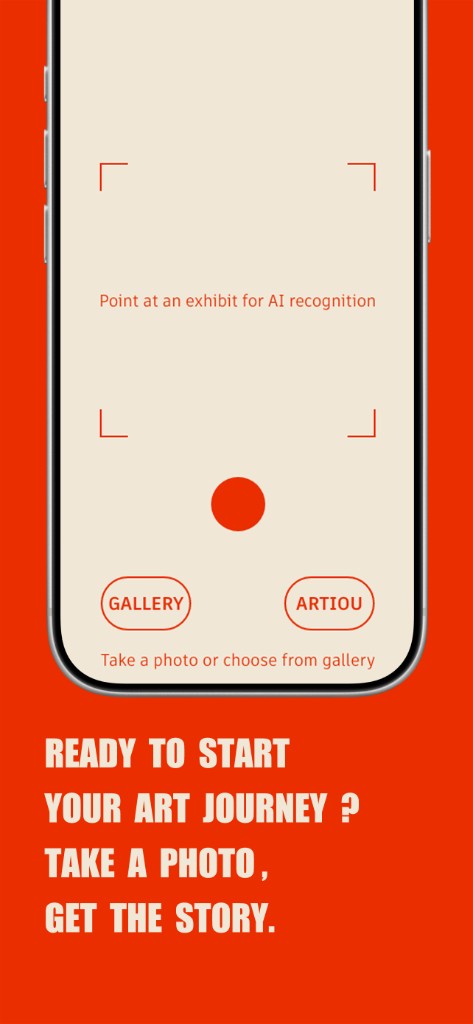
Use your camera to identify an exhibit and surface key details.
Listen to approachable audio that matches a museum pace.
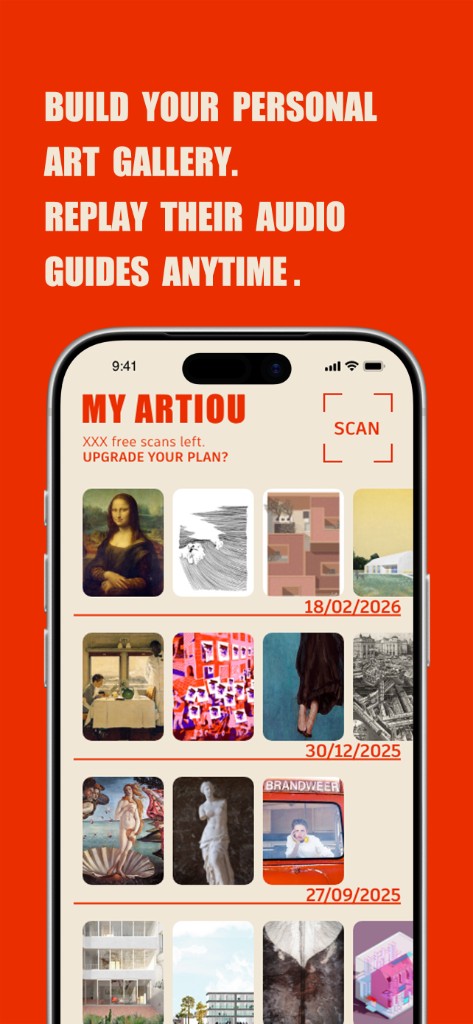
Keep pieces and guides you care about for later.
From raising your phone to understanding a work, in under a minute.
Open Artiou and point your camera at the piece you want to learn about.
AI identifies context and turns it into clear narration.
Use earphones or speaker and keep your pace with the gallery.
Build context quickly instead of staring at labels you cannot decode.
Get familiar-language guidance even in an unfamiliar city museum.
Turn each piece into a shared conversation with kids.
Save favorites and revisit your journey after leaving the venue.
We prioritize explainable flows and user control. Manage your saved items and account data anytime.
You can try Artiou as a guest first. Sign-in unlocks higher limits and syncs collections.
Narration is currently available in Chinese, English, and French.
Most errors come from model limits (for abstract works, unusual materials, or sparse metadata). Retake a clearer frontal photo, or add the artwork title or artist to improve results.
They are the same product: “Artiou” is the English name used in the App Store and marketing; “艺游” (Yìyóu) is the Chinese product name used in the Chinese UI and Chinese-facing materials.
On iOS, use the App Store link at the bottom of this page or search for Artiou / 艺游. Android / Google Play availability is rolling out—check the download section on this site and in-app notices for the latest status.
Open the iOS App Store listing before your museum visit, then use Artiou to scan, ask, listen, and save artworks on site.
Search for Artiou / 艺游 if the store opens in your local App Store app instead of the browser.